The Ultimate Guide on How to Set Up an Apple Search Ads Campaign the Right Way
When getting started with search ads, the setup can be intimidating — but it's critical to get right. Here's how.

Apple Search Ads can supercharge your app's growth — but only if you get them set up right. This guide provides a clear, actionable plan to set up winning campaigns, avoid costly pitfalls, and capture high-intent users. Whether you're just starting out or optimizing existing campaigns, this serves as a blueprint for smarter spending and bigger results.
Starting on the right foot with campaign setup
When logging into Apple Search Ads, you encounter two modes: Basic and Advanced. Advanced mode unlocks granular control over targeting, budgeting, and ad group organization, while Basic mode offers a one-size-fits-all approach. For competitive markets, Advanced is recommended.
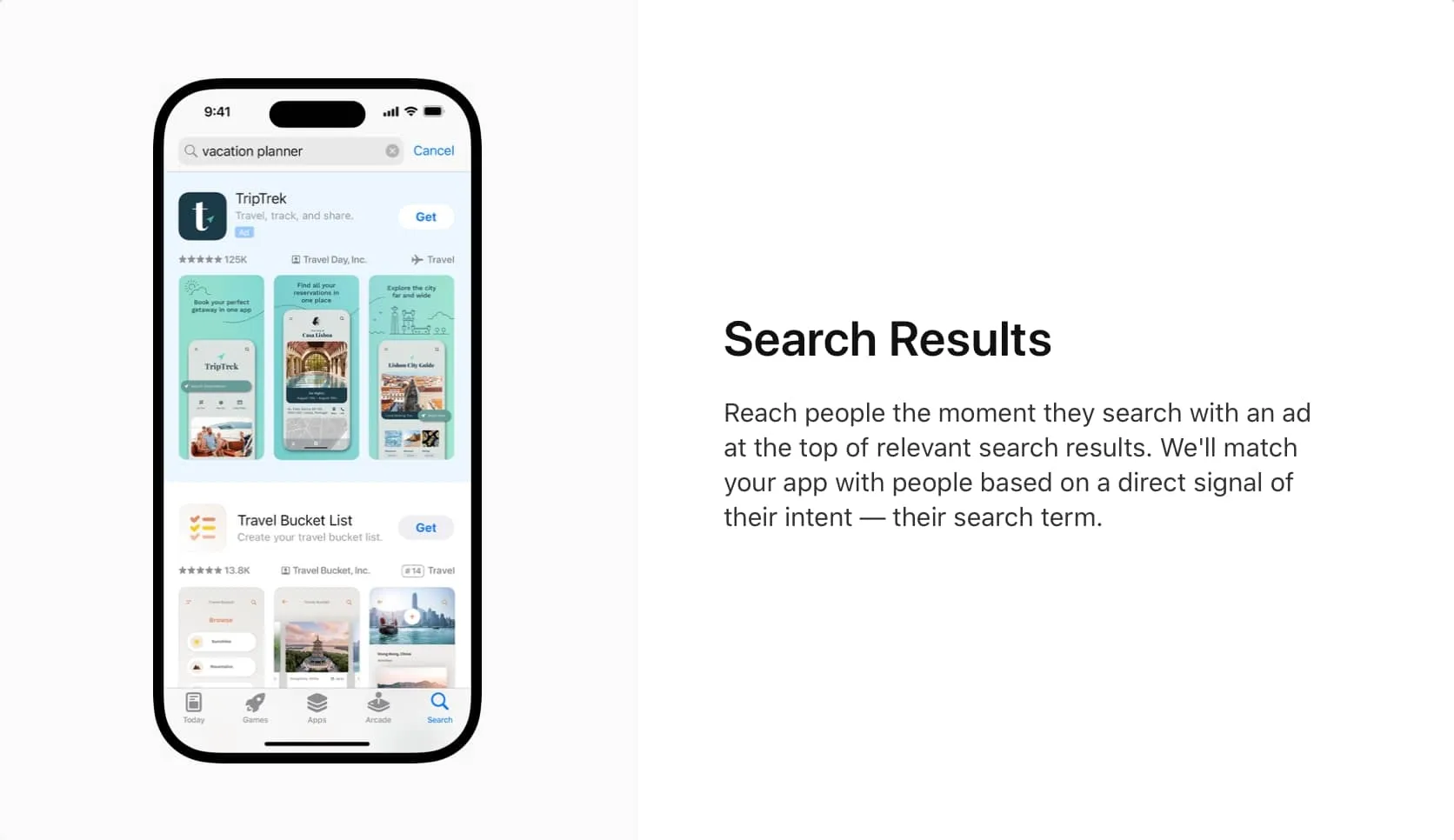
The first decision involves choosing your campaign type. Search results campaigns are crucial for capturing users actively searching for apps — those with high intent already in an exploratory mindset, providing a competitive edge.
Defining your target region
Targeting the entire world can lead to wasted spend and unsatisfactory results. Every country has unique market dynamics and user behaviors. If you've localized your app for several regions, consider running separate campaigns for each country. This allows you to adjust keywords, messaging, and bidding strategy according to local trends and competitive landscapes. Starting with a single well-defined market prevents mixing countries with different cultural and consumer behaviors. You can expand gradually as you learn which markets yield the best results.
Setting a budget that works
Your daily ad spend should be driven by business goals and overall marketing budget — not by competitor spending. A good rule of thumb is to multiply your daily budget by 30 to understand monthly commitment. For example, to keep spending around $500 monthly, set daily budget to roughly $10. Your actual daily spend fluctuates based on the day.
For more aggressive growth goals, you might opt for higher daily spend like $50 per day to secure higher download volumes or test wider keyword ranges. Consistency is key. A well-defined daily budget forces monthly thinking and keeps spend predictable. Apple Search Ads doesn't provide automatic competitive benchmarking tools, so determine your comfortable investment amount and monitor performance closely. Every tap represents money spent, so ensuring each tap is meaningful is paramount.
Skipping search match
Apple's "Search Match" feature automates keyword targeting by including related queries without manual addition. While seemingly helpful, relying solely on automation often backfires.
According to Apple's documentation, "Search Match is intended for queries that aren't covered by your manual keyword selection." Yet in practice, ads begin showing for tangentially related or completely irrelevant search terms. For campaigns optimizing cost efficiency and maintaining high relevance, disabling Search Match is critical. Turning it off forces deliberate keyword selection and ensures every dollar aligns with specific campaign goals. Manually curating keyword lists offers far better control and transparency over ad spend and campaign performance.
You get out what you put in with Apple Search Ads. Take time to develop the right keywords rather than outsourcing to algorithms that may get it entirely wrong.
Building an effective keyword strategy
Keywords make or break Apple Search Ads campaigns. Always use exact-match keywords to ensure ads appear only for highly relevant searches, avoiding costly taps from irrelevant searches. Complement these with a carefully maintained negative keyword list, keeping spend targeted and efficient. Together, these techniques create your best chance at targeting those likely to convert while avoiding spend on those who won't.
Competitive analysis tools like Appfigures can unearth valuable insights into keywords competitors are targeting, both paid and organic. Leveraging these insights helps discover high-intent terms you might have missed. As with any ad spend, profitability is most likely when taking a disciplined attitude. You can't set it and forget it — a deliberate keyword strategy ensures capturing the right audience — those most likely to download and use your app, and potentially pay for it.
Understanding the power of negative keywords
Before diving deeper into structural elements, it's crucial to address negative keywords. Negative keywords ensure ads aren't shown in irrelevant searches. While your app focuses on app analytics, default settings might inadvertently drive traffic for unrelated searches, such as queries about social media management. Both may involve analytics, but they mean entirely different things. Spending money on these keywords is literally a waste.
Without hands-on intervention, you could pay for taps from users seeking Instagram analytics or social media tools — not relevant to your app's functionality. By proactively adding negative keywords (such as "Instagram" or "social media management"), you ensure ad spend targets only users whose intent aligns with your offer. This is important because if intent doesn't match the offer, there's no shot at converting them to paying users later.
Investing extra time upfront to curate a comprehensive negative keyword list saves significant money long-term. It's much easier removing a keyword from your ad group than clawing back wasted dollars from targeting the wrong audience.
Demystifying audience targeting
Not all users seeing your ad are equally valuable. Maximize returns by carefully segmenting your audience. Prioritize targeting new users to fuel genuine app growth and select device types relevant to your app's design — avoiding wasted spend on incompatible devices.
Refine further with demographic settings, initially focusing on narrow audience segments based on age or gender when appropriate. Location targeting boosts effectiveness, especially for apps serving specific regions or cities. Consider ad scheduling to fill organic traffic gaps, optimizing spend during peak engagement hours.
Simplifying your ad group structure
Ad groups can seem daunting initially. Think of campaigns as the overall advertising efforts container, while ad groups organize specific keyword sets or targeting criteria within campaigns. For many advertisers, especially beginners, keeping things simple works best. Rather than multiple ad groups — which complicates management and testing — starting with a single ad group is usually sufficient. This allows testing how keywords perform in aggregate before experimenting with granular segmentation.
A key ad group setting is maximum cost per tap (CPT). While Apple might suggest higher defaults — say, $4 — setting lower maximums (for example, $1) prevents overspending. Often, Apple's system nudges toward broader matches and more keywords, inadvertently increasing expenditure. Limiting CPT maintains greater control over download costs, ensuring prudent budget allocation.
Crafting a creative ad experience
Your creative assets are the final, critical step driving user engagement. Default App Store screenshots can work, but customizing creatives specifically for ads significantly boosts performance. Use clear, high-quality visuals reinforcing your app's value and resonating directly with target audiences. You can even match assets to particular search ads or terms.
However, consistency is essential — ensure creative assets align with ad keywords, messaging, and audience segmentation. Testing multiple creatives identifies which visuals deliver best results, but if just starting out, simplicity and clarity are strongest allies. Don't get too bogged down in details initially, but also can't forget about them once comfortable running campaigns. They drive even more results.
Launching your campaign and monitoring performance
Launching your Apple Search Ads campaign is just the start. Continuous monitoring of key metrics like cost-per-tap, conversion rates, and return on ad spend is essential. Whether using Appfigures or another tool, simplify tracking by clearly highlighting what's working and what's not. That's the only way forward to making quick, informed decisions.
Regularly reviewing analytics helps pivot swiftly, reallocating budget to high-performing keywords, audiences, and creatives while trimming underperforming areas. Incremental adjustments — such as testing new demographics or creatives — steadily improve campaigns, delivering stronger results and better ROI over time.
Remember that efficiency is critical: every tap costs money and should ideally result in meaningful engagement.
Final thoughts: a targeted, data-driven approach
Setting up an effective Apple Search Ads campaign centers on controlling ad spend and being precise about where it goes. Key points to remember:
- Use Advanced search ads for precise control
- Use search results ads to reach high-intent users
- Focus geographically on relevant markets first to maximize efficiency
- Set a daily budget aligned with monthly goals
- Disable automated features like Search Match for better keyword control
- Prioritize exact-match keywords and use negative keywords strategically
- Segment audiences by device, demographics, and location
- Leverage ad scheduling during high-engagement periods
- Choose creatives that clearly highlight your app's value
- Continuously monitor performance and adjust based on real-world data
At its core, Apple Search Ads provides tools to precisely target users most likely to convert. By carefully selecting keywords, refining demographics, and closely managing budget, you'll minimize waste and maximize every download's quality. Continually monitoring performance and making data-driven adjustments ensures campaigns deliver sustained growth and strong return on investment.
Whether launching your first campaign or optimizing existing ones, these strategies offer a proven roadmap to smarter spending and better results.