Custom Store Products: sell non-App Store products from your paywall
Sell products from any billing system on your paywall — with the same A/B testing and targeting you'd get with App Store products.

Custom Store Products lets you attach products to a Superwall paywall that aren't backed by StoreKit. eSIM data packs, consumable credits, physical goods — anything billed through your own payment system. Same paywall builder, same experiments, same audience targeting. Your billing system handles payment and fulfillment, and Superwall handles the paywall experience around it.
Yes, Superwall paywalls work great with App Store products — pricing, trials, A/B testing, all handled automatically. But companies selling physical subscriptions, financial services, person-to-person services — they all have their own billing, and until now, the products on their paywalls had to be StoreKit-backed. That's no longer the case.
How a custom product sells
Say you run a travel eSIM app. Users buy data packs — 5GB for Europe, 20GB for Southeast Asia — billed through your own payment system. Your iOS app is where travelers discover plans and buy data before their trip.
Before: you build your own purchase screen, hardcode the prices, can't A/B test the copy, can't experiment with bundle sizes or regional pricing, can't target different offers to different audiences. Every iteration is a code change and an App Store review.
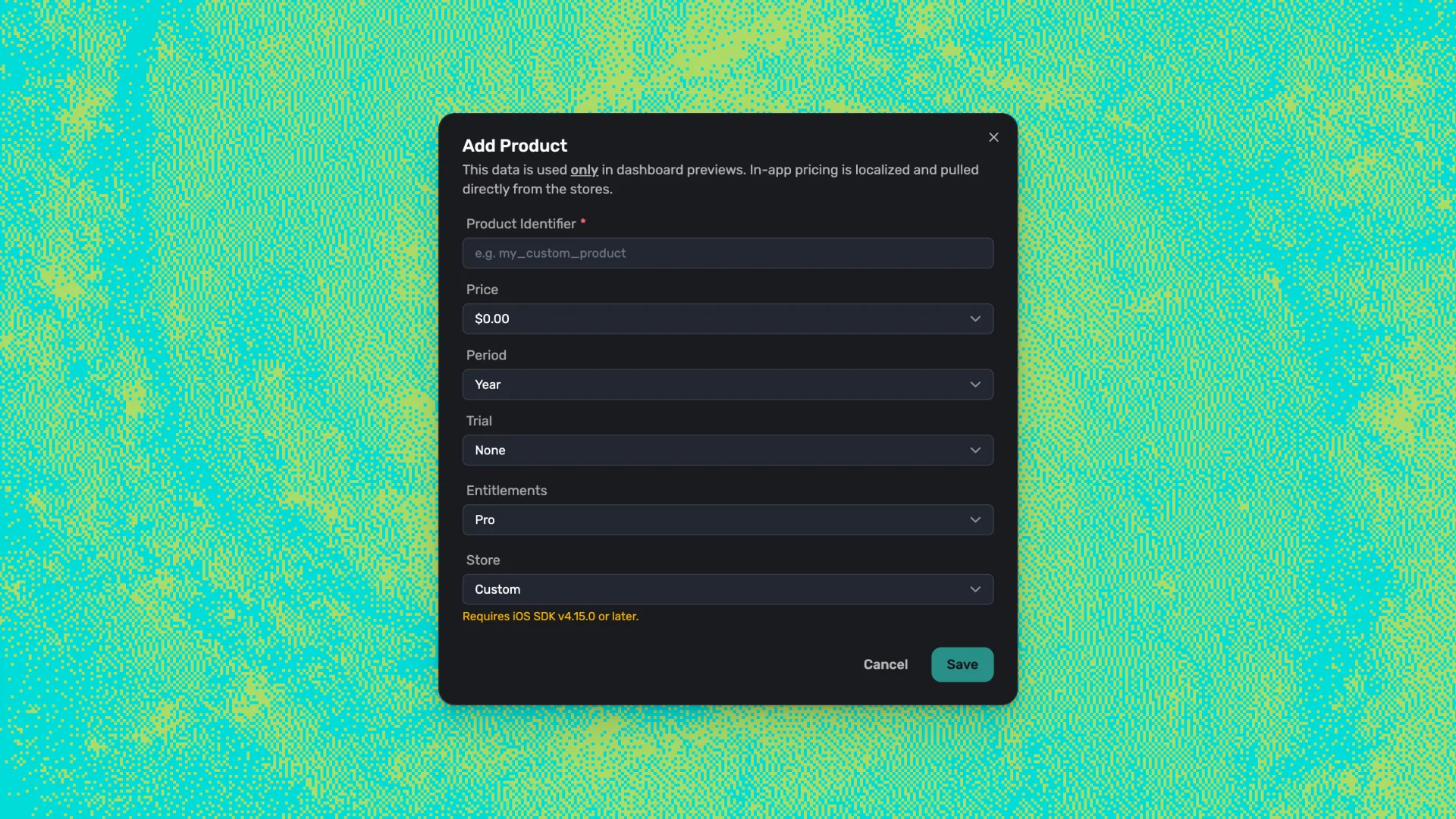
Now: you create a "Europe 5GB — $9" product in the Superwall dashboard, mark it as custom, and drop it onto a paywall. The paywall renders price, quantity, details — just like any App Store product. User taps buy, your app routes the purchase through your payment system (Stripe, bank transfer, Plaid — whatever you use), and Superwall tracks the result. The paywall, the experiment, the targeting — all managed by Superwall. The payment and fulfillment — managed by your system.
No hardcoded prices. Full A/B testing on copy, layout, and offer framing — the same iteration speed you'd get with App Store products.
What's actually different from App Store products
From your paywall's perspective, not much. Custom products use the same template variables (products.primary.price, trial copy, period labels), the same A/B testing, the same audience targeting. Superwall tracks the paywall view, the experiment assignment, and the purchase result — same as with App Store products.
The difference is under the hood: Superwall loads product metadata from your dashboard configuration instead of StoreKit, and routes the purchase through your PurchaseController. Your billing system handles the actual payment, fulfillment, and any renewals or refunds.
Trial eligibility works too — Superwall checks the product's trial metadata and the user's entitlement history, so repeat users won't see a trial offer they've already used.
You can even mix both on the same paywall — an App Store subscription and a custom-billed product, side by side, in the same experiment.
Custom Store Products vs. Web Checkout
Superwall now has two ways to sell outside the App Store. Different tools, different jobs:
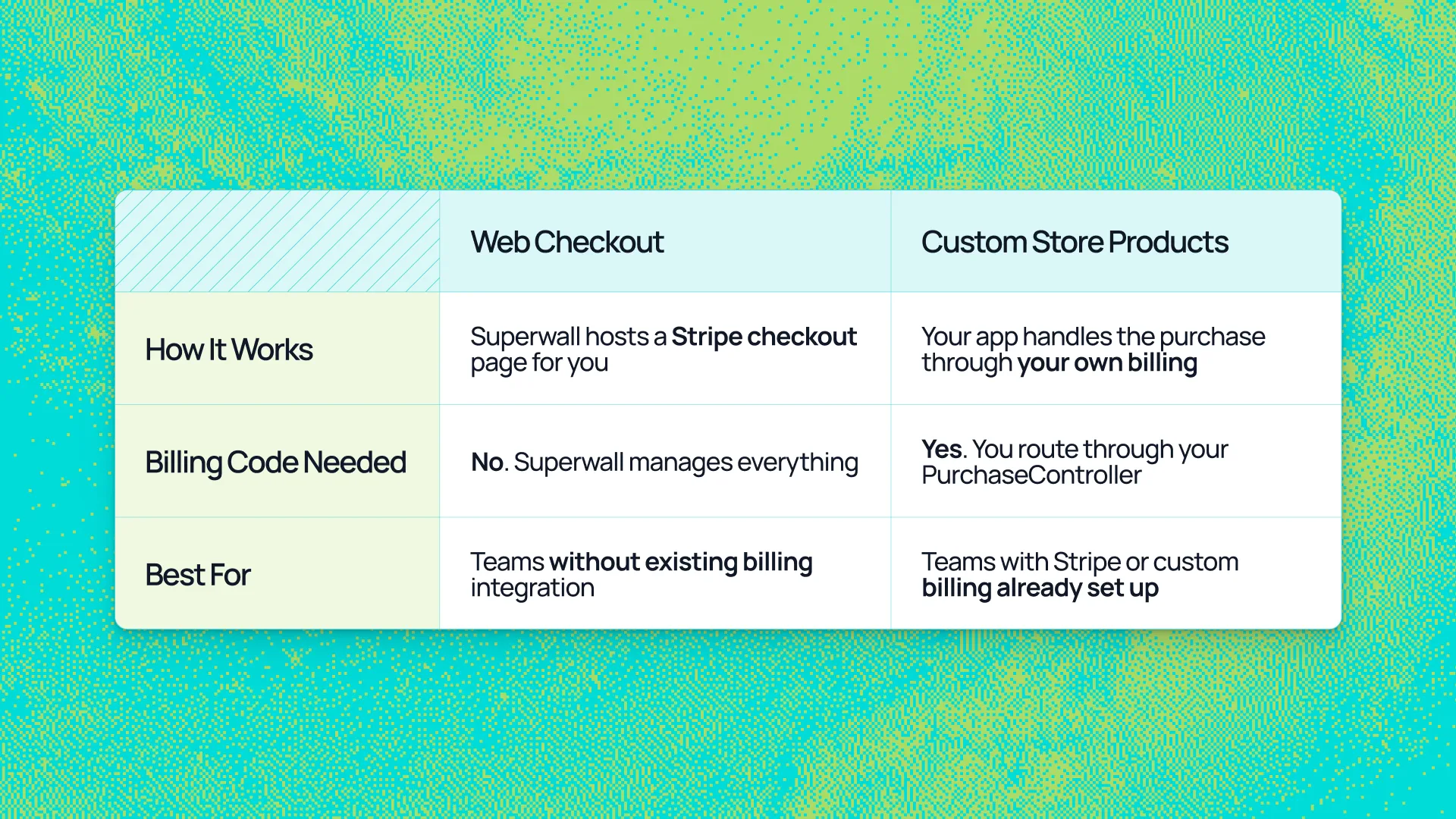
If you don't have a billing code and don't want to write it, Web Checkout is the faster path. If you already have your own payment system wired up — Stripe, bank transfers, Plaid, anything — Custom Store Products lets you keep using it.
The way apps make money is getting more flexible — and the tools around monetization should keep up. Custom Store Products is one more step in that direction: your paywall shouldn't care how a product is billed. It should just work.
The full setup guide is in the Custom Store Products documentation. Available in iOS SDK 4.15.0+, with Android and Flutter on the way.
If you're selling outside the App Store and want the same experimentation and targeting you'd get with native products, check out Superwall.