The Subscription Group Debt Trap — and Why You Should Declare Bankruptcy
Your one subscription group is quietly costing you money. Here's how to fix it.

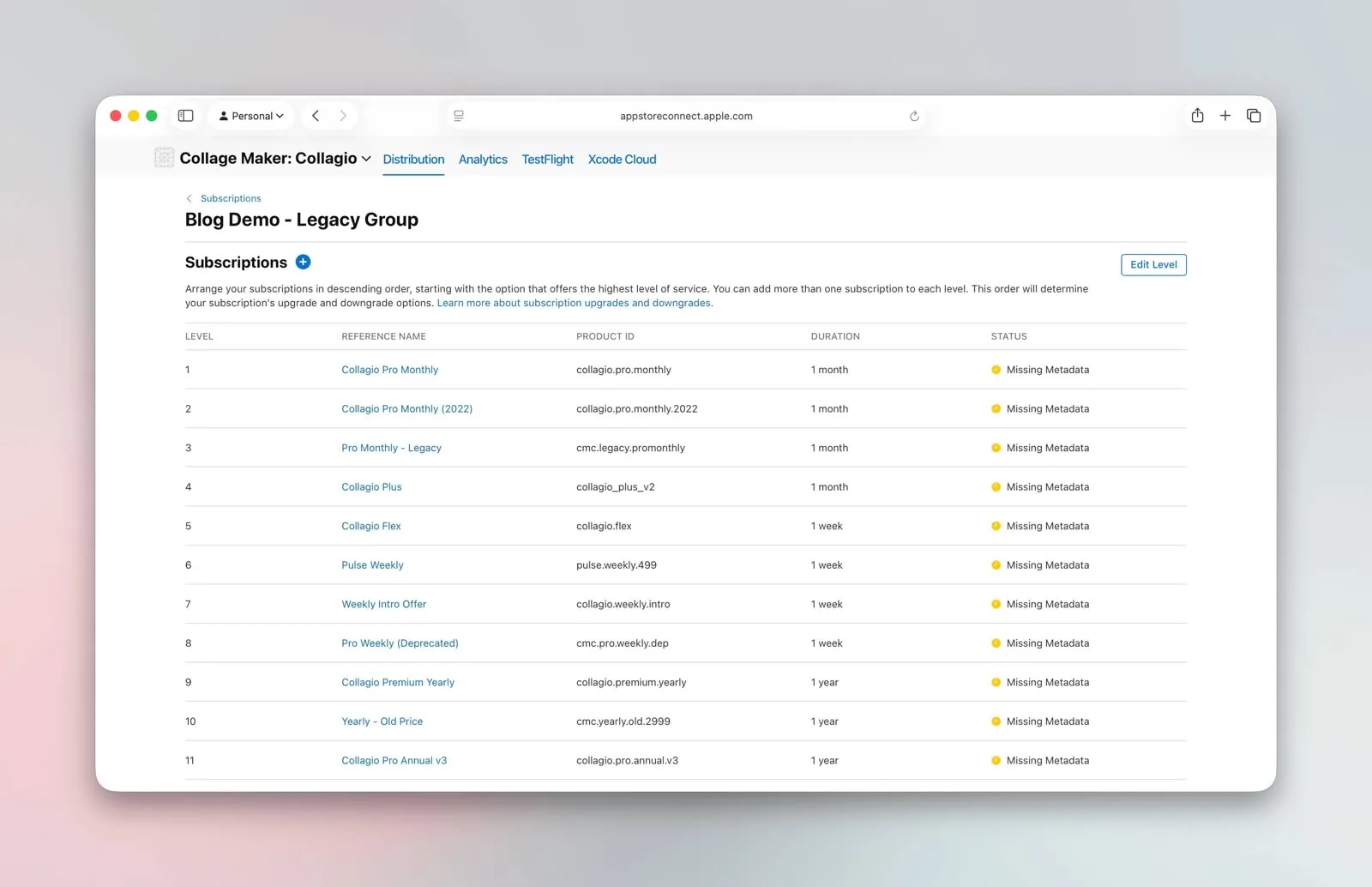
Almost every app I look at has the same hidden problem in App Store Connect, and almost no one knows it's there. The developer launched years ago, created a single subscription group, dropped a monthly and an annual plan inside it, and shipped. Then they ran a price test. Then another. Then a promo. Each new SKU went into that same original group, because that's where the products lived. Fast forward a few years and you've got one subscription group stuffed with a dozen or more products — half of them old, cheaper, and confusingly named.
This isn't a hypothetical. On a recent call, a founder I work with went to cancel his own subscription to test the flow and counted the plans Apple showed him. "I literally see 17 different subscriptions," he said. "It's chaos." Another team I work with had quietly accumulated roughly 90 products and prices in App Store Connect — enough that they were getting a steady trickle of confused emails from their own customers. Both are paying for it in two specific ways.
Problem one: users see a wall of confusing names
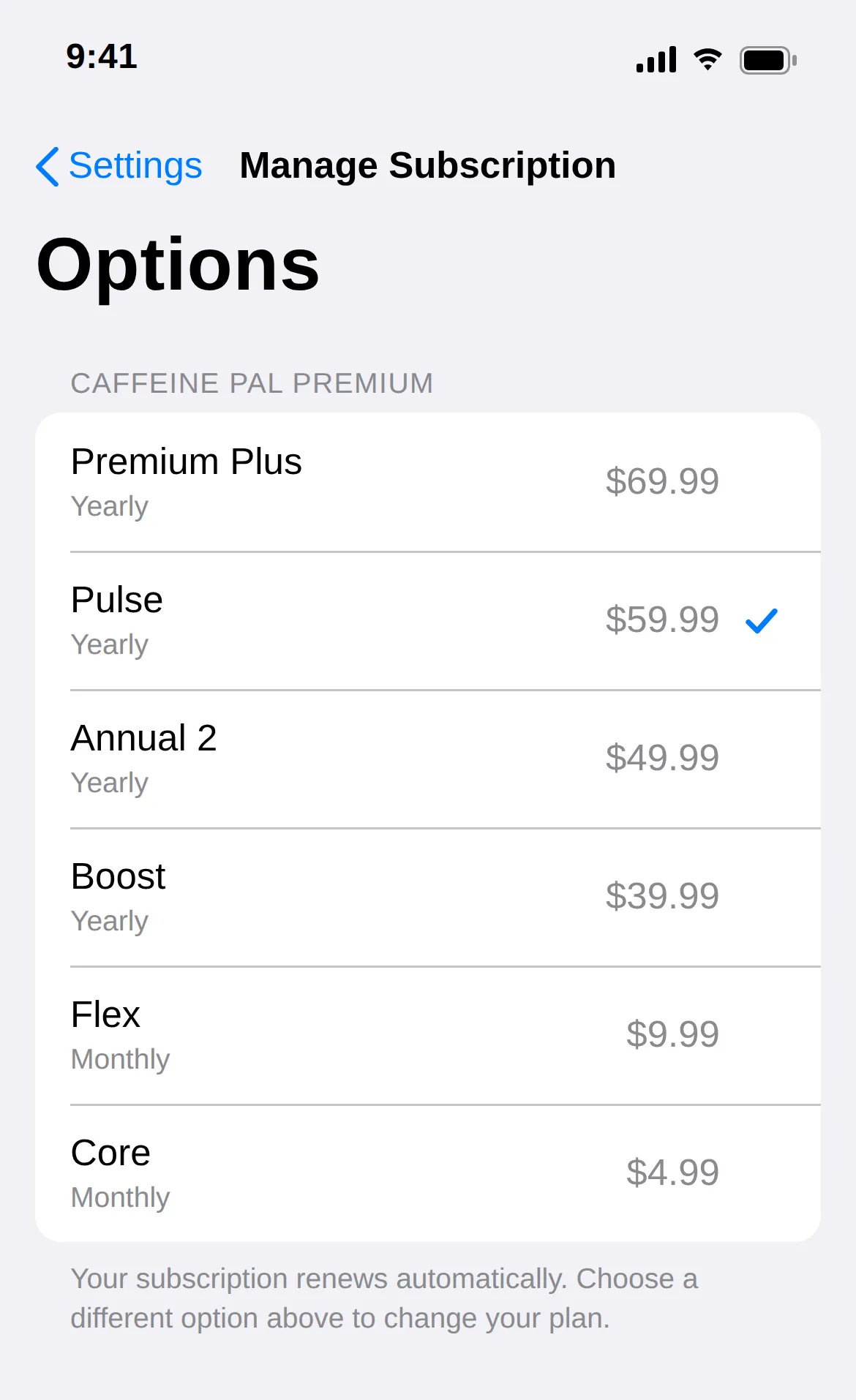
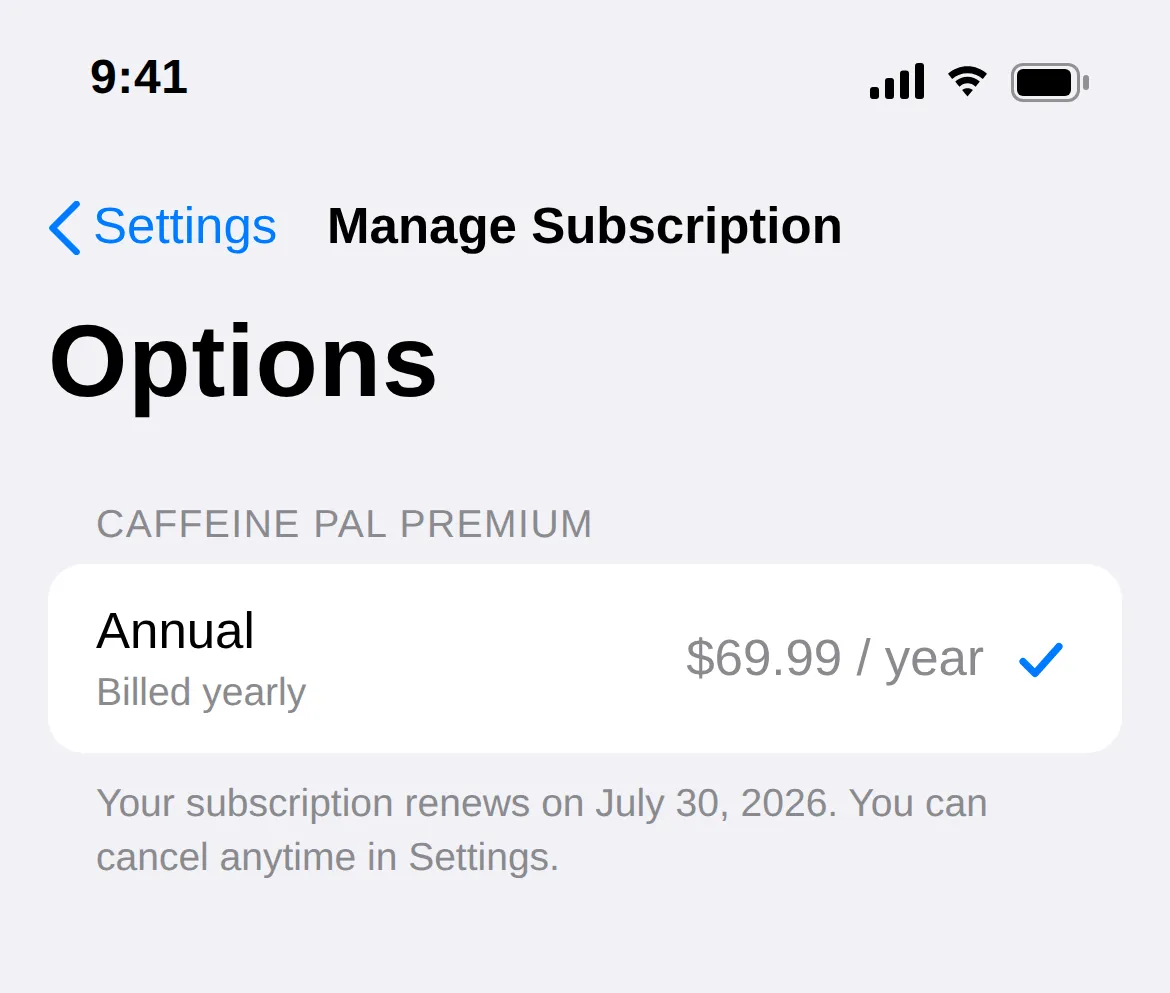
When a subscriber taps "Manage Subscription" on iOS, Apple doesn't show them the clean paywall you designed. It shows them every active product in that subscription group, rendered with the localized display name you set in App Store Connect.
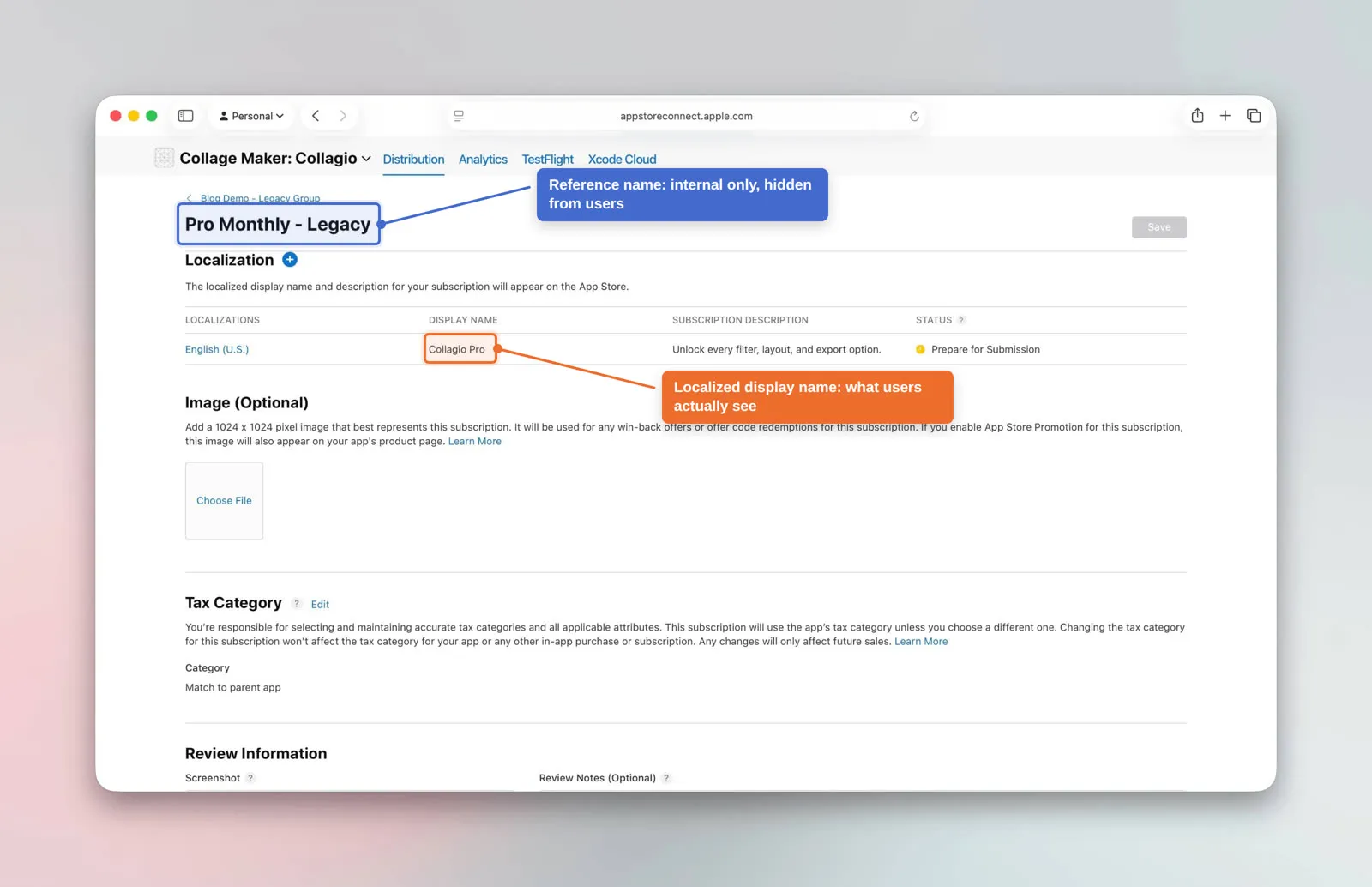
Here's the catch: most developers never set those display names thoughtfully. The reference name — the internal label you use to keep track of products — is hidden from users. The localized display name is the one that actually appears on the manage and cancellation screens. If you never localized it deliberately, your users are staring at a list of near-identical, cryptic plan names trying to figure out which one is theirs.
It gets worse when the names imply something that isn't true. One team had products with names like "Flex" and "Pulse" — leftover labels from old tests. To a customer, "Flex" reads like a tier or a plan level. It isn't; it's just a grouping. So people would email support thinking they were on a different tier than they'd paid for, or that the app was secretly freemium, all because a product name set the wrong expectation. As the engineer on that call put it, the products "all got random titles… really weird names, I don't even know anymore." When your own team can't keep the names straight, your customers definitely can't.
That confusion is exactly the moment you don't want friction. A confused user on the cancellation screen is a user who churns, contacts support, or downgrades — and a confused user reading a misleading plan name is a support ticket you created for yourself.
Problem two: users can switch down to your old, cheaper prices
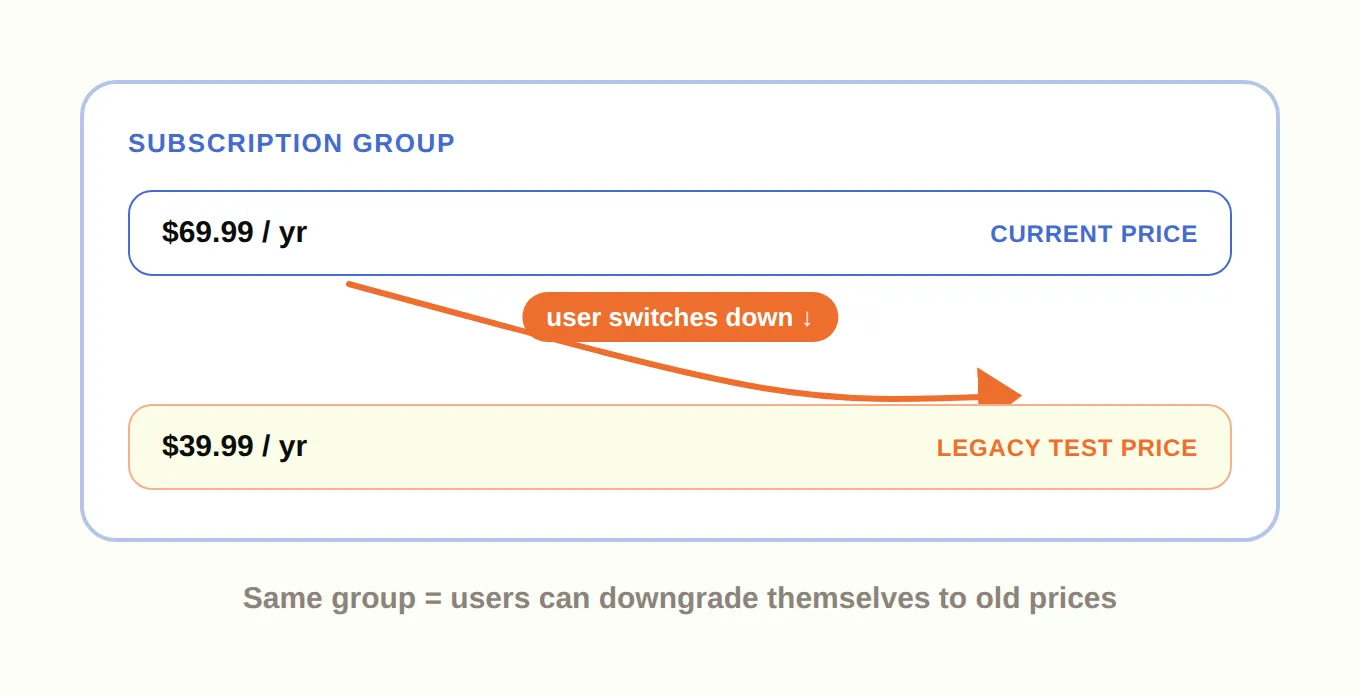
This one is more expensive. Inside a single subscription group, Apple lets users freely switch between any of the products. That's by design — it's how upgrades and downgrades work. But it means a user who signed up at your current $69.99/year price can open the manage screen, see the $39.99/year plan you ran as a test three years ago, and switch right down to it.
You did the hard work of raising your prices and proving the new number converts. Then Apple hands your existing subscribers a menu of every discount you've ever offered and lets them help themselves. As I put it on that call: you don't want someone who subscribed at $69.99 seeing — and choosing — an annual plan that's $39.99. Every one of those switches is pure margin walking out the door, and you'll never see it in your paywall analytics because it happens entirely inside Apple's UI.
Why everyone ends up here
If this is you, don't feel bad — it's nearly universal. Apple's subscription tooling has evolved constantly over the years, and every team has tried every offering as it shipped: intro offers, promo offers, price tests, win-back flows. The result is the same everywhere. As one founder summed it up, there is basically no company with a genuinely clean setup. Any sophisticated app has experimented its way into a mess. The goal isn't a perfect history — it's to stop the bleeding and reason clearly going forward.
The fix: declare bankruptcy and start a clean group
The pattern I recommend is simple to say and a little uncomfortable to do. Treat your original, overstuffed group as the legacy graveyard. It can keep every historical price — that's actually useful for internal testing, since you can switch between those products to QA flows. But you stop sending new users there.
When you land on new base pricing — after a price test tells you "this is the number" — you create a brand-new subscription group that's clean and contains only your current prices. All new users go into that fresh group. They can't see the old cheap plans, because those plans don't exist in their group. You've effectively declared bankruptcy on the old pricing and started fresh.
The discipline here is what matters: a new clean group should show only the prices you actually want people on today. As I described my own workflow — after a price test confirms the new base pricing, make a new subscription group that's clean and only shows the current annual price, precisely so nobody who paid full freight ever sees a cheaper option.
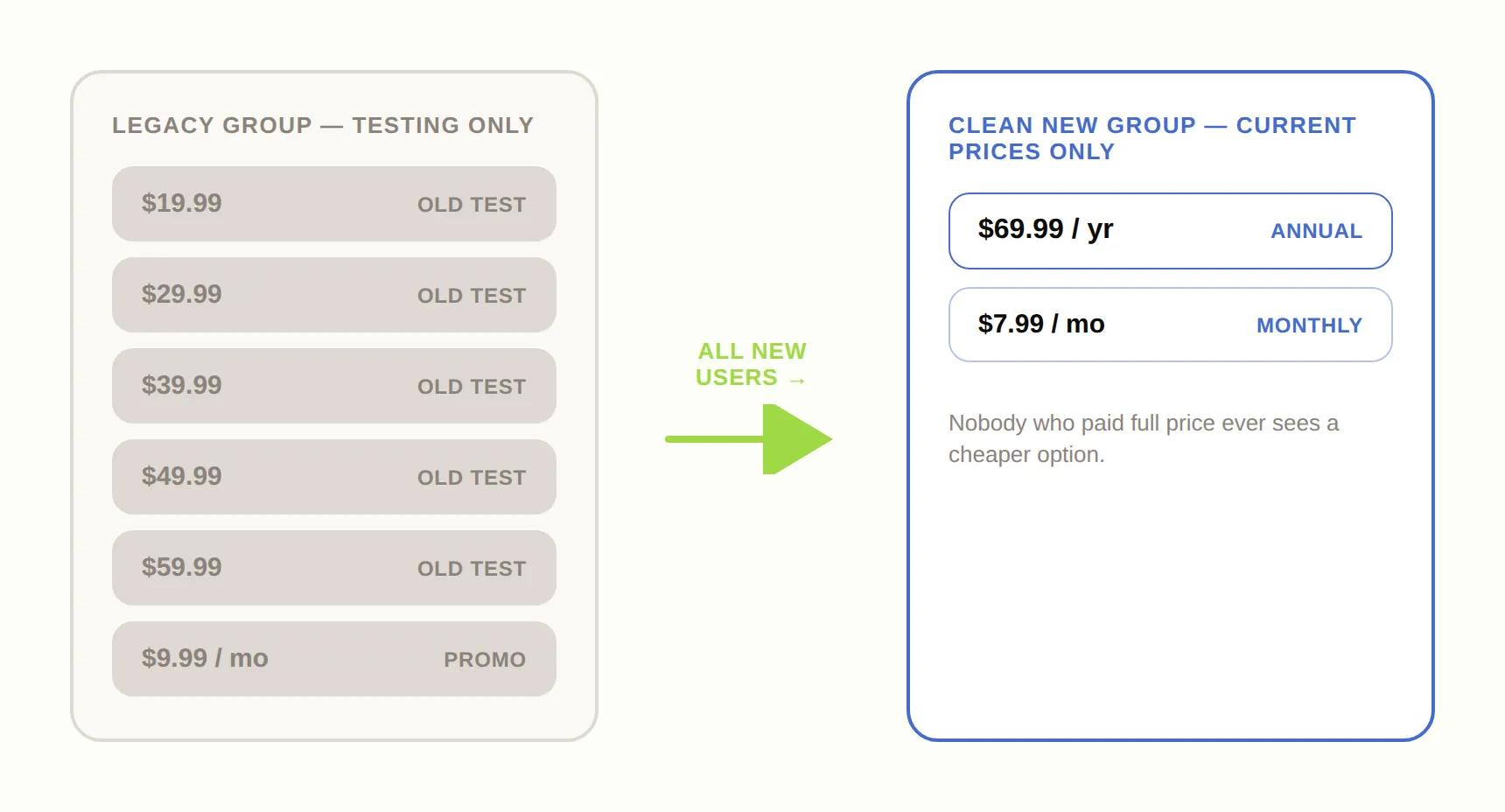
| Group | What it holds | Who sees it |
|---|---|---|
| Legacy group | Every historical price and old test SKU | No new users; kept for internal QA and existing legacy subscribers |
| Clean group | Only your current prices | All new users, so nobody can switch down to an old discount |
A few guardrails before you go group-crazy
The opposite mistake is just as real. Once people learn that new groups solve the legacy-price problem, some swing too far and spin up a separate group for every single test. Don't. Apple treats trial eligibility per subscription group, which sounds handy — but if your products are scattered across many groups, a user can end up subscribed to two SKUs in two different groups at the same time and get double-charged. I've watched that exact bug bite teams that made a group per experiment. One clean group for current pricing, one legacy group for the past, and only occasional new groups when you genuinely reset your base prices.
Two more practical notes from the trenches:
Name your groups and SKUs like a human, not a spreadsheet gone feral. I've lived the failure mode — at a previous company we went alphabetical, "group A, B, C," ran out of letters, started over at "AA, AB, AC," and by the time I left we were at group DF with five to twelve SKUs in each. Nobody could reason about it. Set deliberate localized display names from day one; future-you will be grateful.
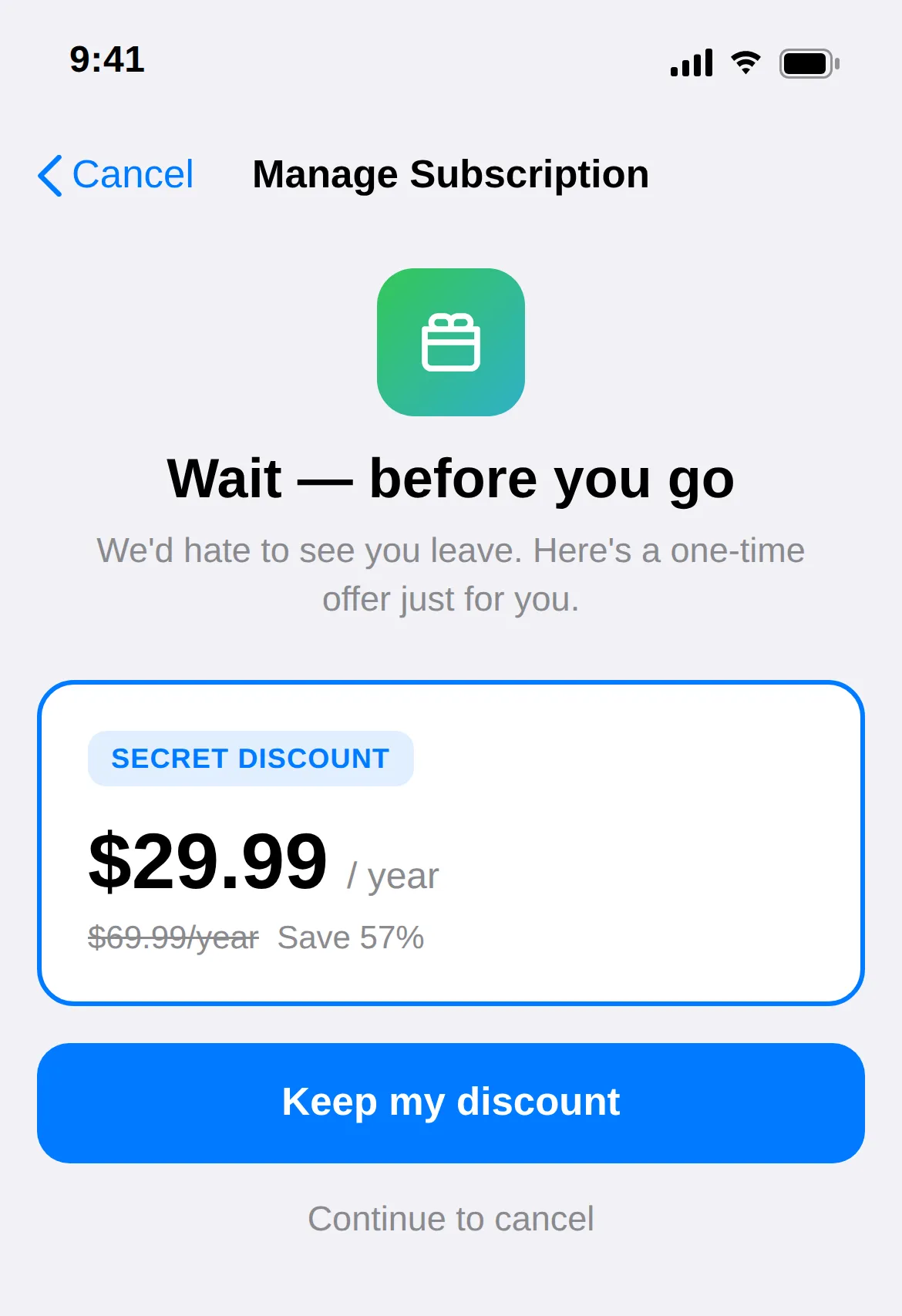
And a fun one: you can use the cancellation screen for you instead of against you. Drop a single hidden, cheap SKU into your base group — call its display name something like "Secret Discount" — and never surface it on any paywall. It only appears to users who reach the cancellation flow, functioning as a built-in save offer at the exact moment of churn.
The part you can't fix in App Store Connect
Here's the honest limit: App Store Connect itself will never be tidy. You can't retroactively delete history, and you shouldn't try. The real leverage is downstream. Standardize and normalize your subscription data so your reporting stays clean no matter how messy the store gets, and don't hardcode SKUs into your app — drive purchases through a paywall layer so you can reorganize products without shipping a release. The store is the mess you manage around; your data and your paywalls are where you actually get clean.
If you've only ever had one subscription group, this is your sign to go look at it today. Open the manage-subscription screen on your own app. Count what you see. If the number surprises you, you've found money you didn't know you were losing.
FAQ
- What is a subscription group in App Store Connect?
- A subscription group is the container Apple uses to hold related auto-renewing products. Apple lets a user freely switch between any products inside the same group, and it tracks free-trial eligibility per group. That is why a single overstuffed group both shows confusing plan lists and lets users move down to older, cheaper prices.
- Why can subscribers downgrade to my old prices, and how do I stop it?
- Inside one subscription group, Apple lets users switch to any product in that group, including legacy test prices you ran years ago. To stop it, create a new clean group that contains only your current prices and route all new users there. Users in the clean group never see the old cheap plans because those products do not exist in their group.
- Should I create a separate subscription group for every test?
- No. Because Apple tracks trial eligibility per group, scattering products across many groups can let a user subscribe to two products in two groups at once and get double-charged. Keep one clean group for current pricing and one legacy group for the past, and only add a new group when you genuinely reset your base prices.
- What is the difference between the reference name and the localized display name?
- The reference name is the internal label you use to track a product and it is hidden from users. The localized display name is what actually appears on the iOS manage and cancellation screens. If you never set display names deliberately, customers see cryptic or misleading plan names and contact support.
- Can I clean up the mess directly in App Store Connect?
- Not fully. You cannot retroactively delete pricing history and you should not try. The leverage is downstream: normalize your subscription data so reporting stays clean, and drive purchases through a paywall layer instead of hardcoding SKUs so you can reorganize products without shipping an app update.