Introducing Pop-up Style Presentations and Requesting Reviews
Two new SDK enhancements — pop-up style presentations and native rating and review prompts — that you can turn on with a single click.

In today's mobile landscape, social proof and offering compelling offers in an eye-catching way are two critical goals several app founders have. To help you achieve both, we've shipped two enhancements to our SDKs I'd love to show off:
- Pop-up style presentations.
- Review, and rating, prompts.
Using these, you can display pop-up style presentations for any paywall. All it takes is one click in our editor. Plus, with our new ratings tap behavior, you can bring up a platform native rating prompt anytime.
Let's check them out!
Prefer to watch instead? Check out our YouTube tutorial here.
Pop-up style presentations
Setting a pop-up style presentation is easy — just open the paywall, click on settings and choose it under "Presentation Style":
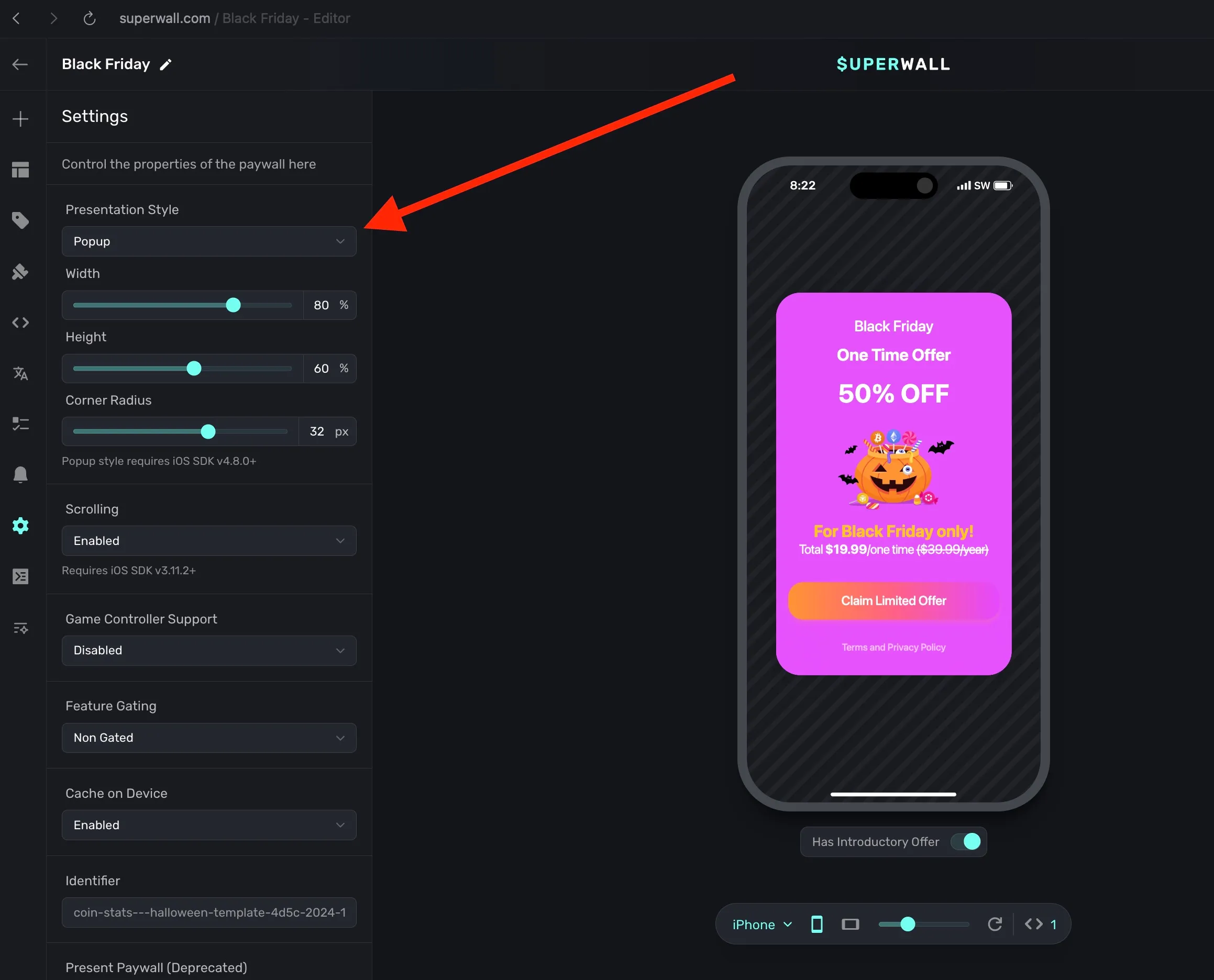
You can also tweak its size along with its corner radius. Here's an example in our demo app, Caffeine Pal:
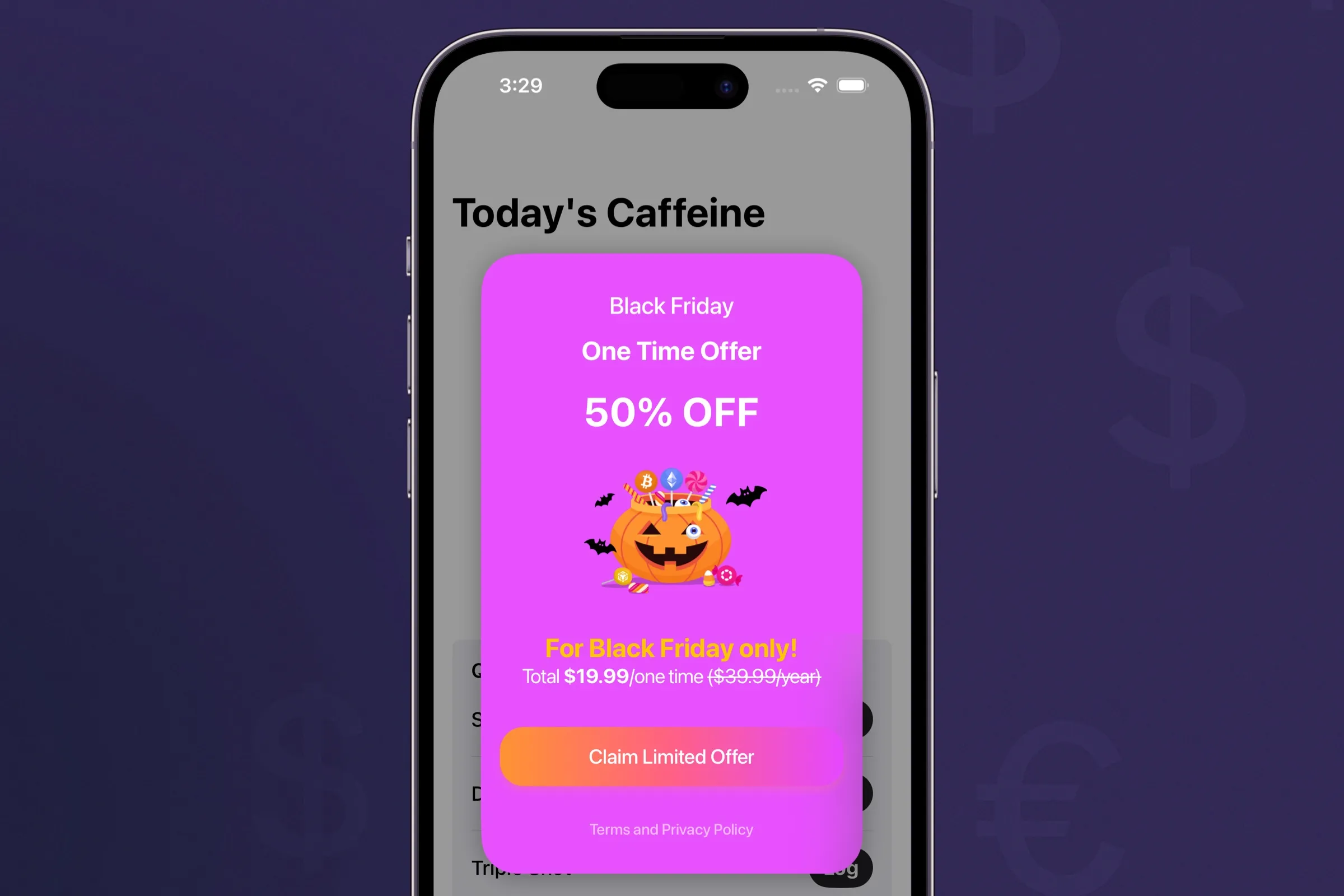
Of course, pop-ups are a fantastic fit for special offers. But, they have several other uses. You might consider using them for things like:
- Announcing new features.
- Promoting special events.
- Or even asking for a rating or review.
And remember, even though we specialize in paywalls — there's nothing stopping you from making a "paywall" in our editor to simply display announcements, updates, or anything else about your app in them. Paired with a pop-up style presentation, you can show off anything in seconds.
Ratings and reviews
Asking users for a review or rating is critical to your app's long term health. There are so many different ways to do it, but one popular pattern from the past few years is pre-warming the user for a review. By simply asking if they are having a good time in the app, you can either request a review or ask for feedback based on their response. With Superwall's custom tap behaviors and our new ratings tap behavior, you can easily do the same.
For any element that should trigger a rating or review, simply choose the tap behavior when the component is selected:
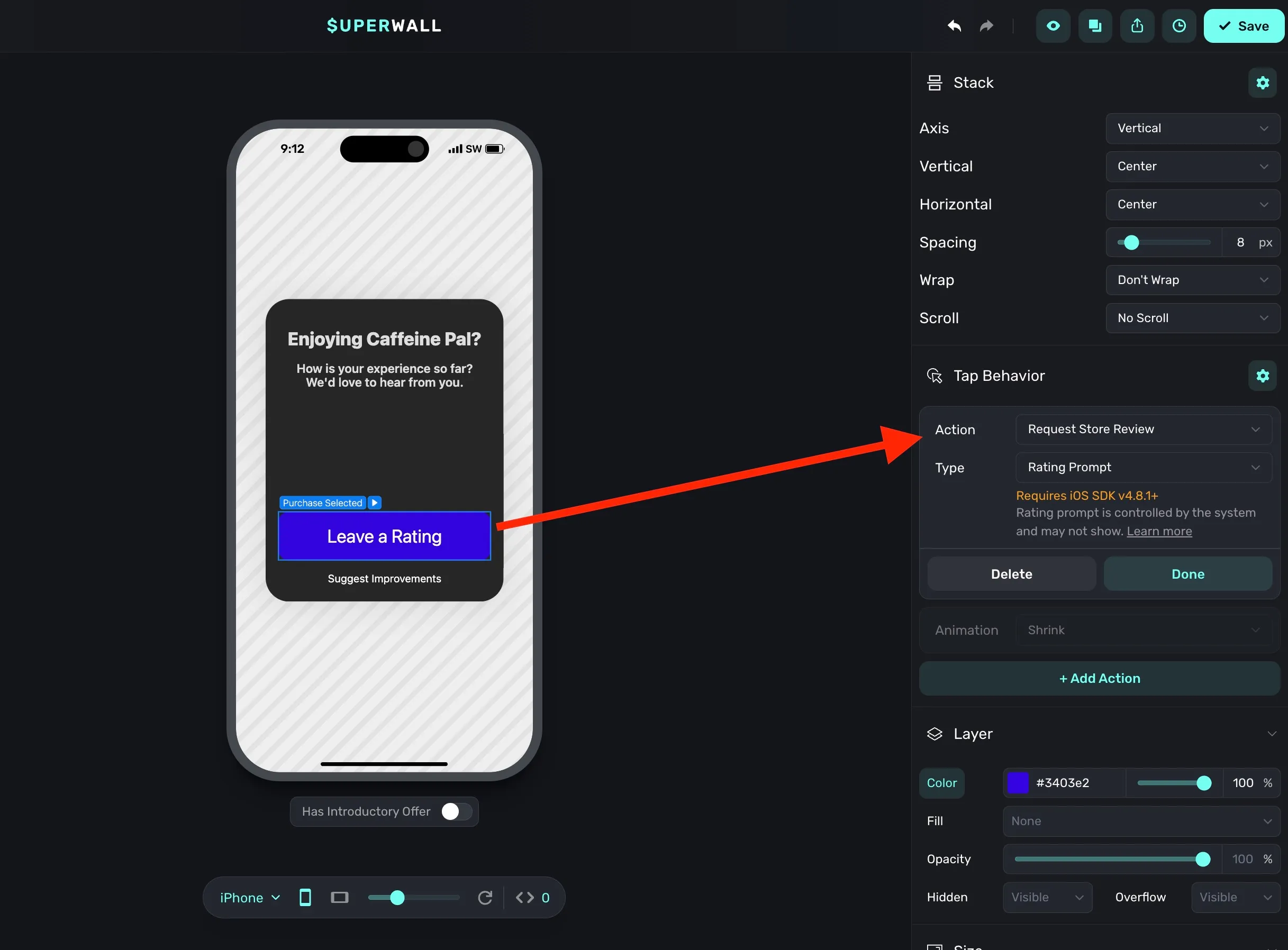
Superwall offers two options here, too. You can either request a rating, which will show the platform native ratings prompt:
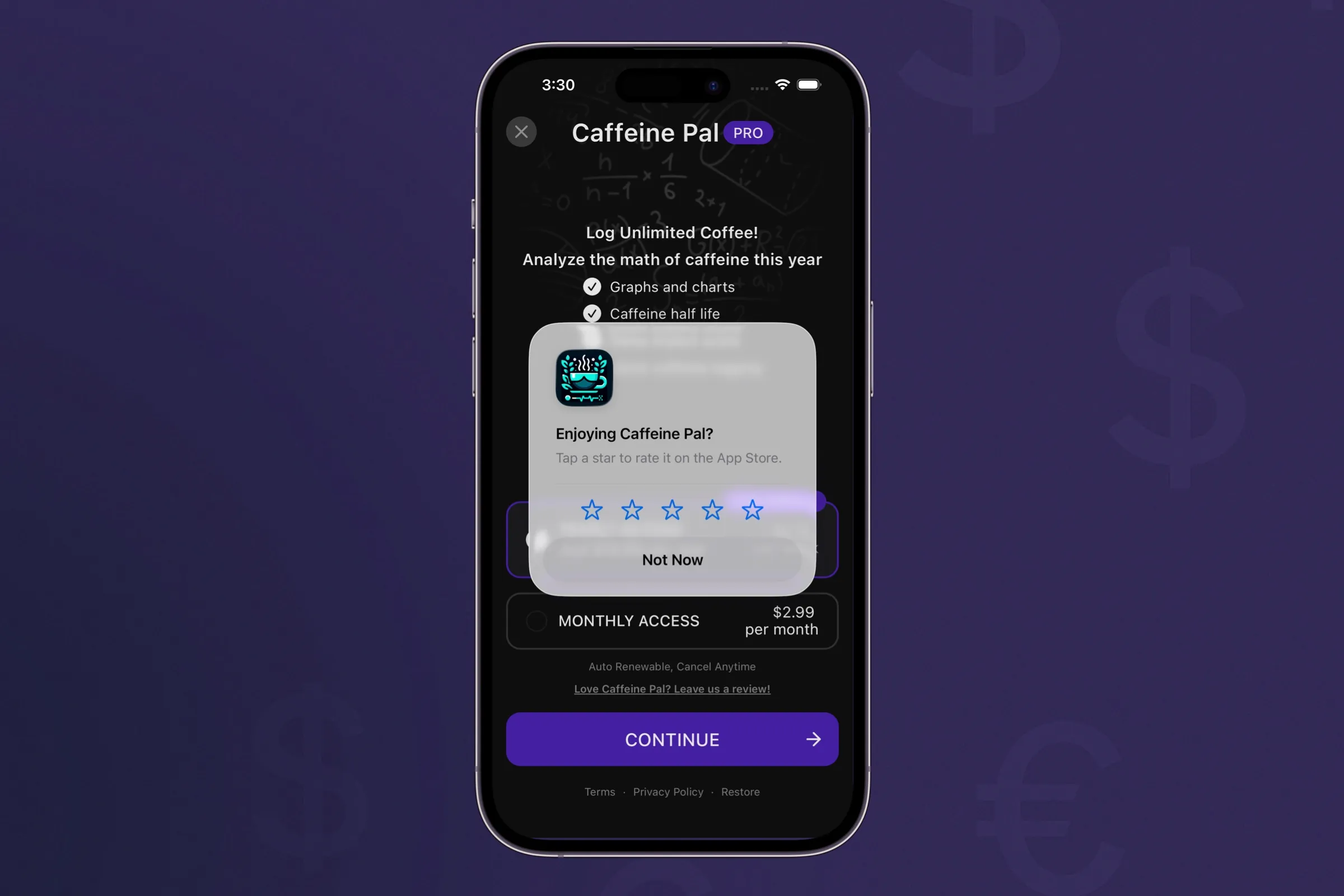
Or, you can request a written review — that deep links to the respective app store for the user to complete. Also, here's a quick pro tip for Android. We know it can be tricky to test review prompts due to system limitations, so we've added an option in our SDK to help make it easier:
var useMockReviews: Boolean = false
Just set that on SuperwallOptions, and our SDK will make sure a
review prompt appears for you to use during testing.
Using campaigns for reviews
Since you can easily make a pop-up style review "paywall", and request a review within it — wouldn't it be amazing if you could remotely control when that should show? Of course, you can do just that with Superwall. Simply create a campaign that shows the review prompt exactly when you want. Maybe it's after a user just completed a high-value action, such as using a pro feature. Or you could simply show it after a number of days since installation, along with virtually any other parameter you can think of.
A lot of us have written code like this before:
settings.appLaunches += 1

// Later on
if settings.appLaunches > threshold {
   showReview()
}
With Superwall, that's no longer necessary. If you're new to campaign filters, check out our docs over them here.
Wrapping up
Our new pop-up style presentation means that your paywalls are more flexible than ever before. Use it for offers, general CTAs, or anything else you need. Plus, with our ratings and review tap behaviors added into the mix, you can easily ask for reviews at the perfect time.
All of this is live today, so you can try it on any of your paywalls — without needing to push an app update! If you're new to Superwall, go create a free account today to get started.