The Superwall Newsletter: Volume 3
Boost revenue with 3 paywall patterns, a native macOS code editor and more.

Welcome to the Superwall Newsletter, Volume 3! In this issue, we'll tackle:
- 🤑 Three paywall design and UX tips
- 🪄 How to dynamically make features "paywalled" or not
- 💻 And some fun tech news, like one of our favorite macOS code editors
Time to dive in.
3 Tips to Grow
1. Make paywalls contextual
When presenting paywalls, try to avoid using identical paywalls for both feature gating and onboarding. Instead, focus on the specific context and decision a user faces.
When you customize a paywall to address the user's immediate goal, you meet their problem head on.
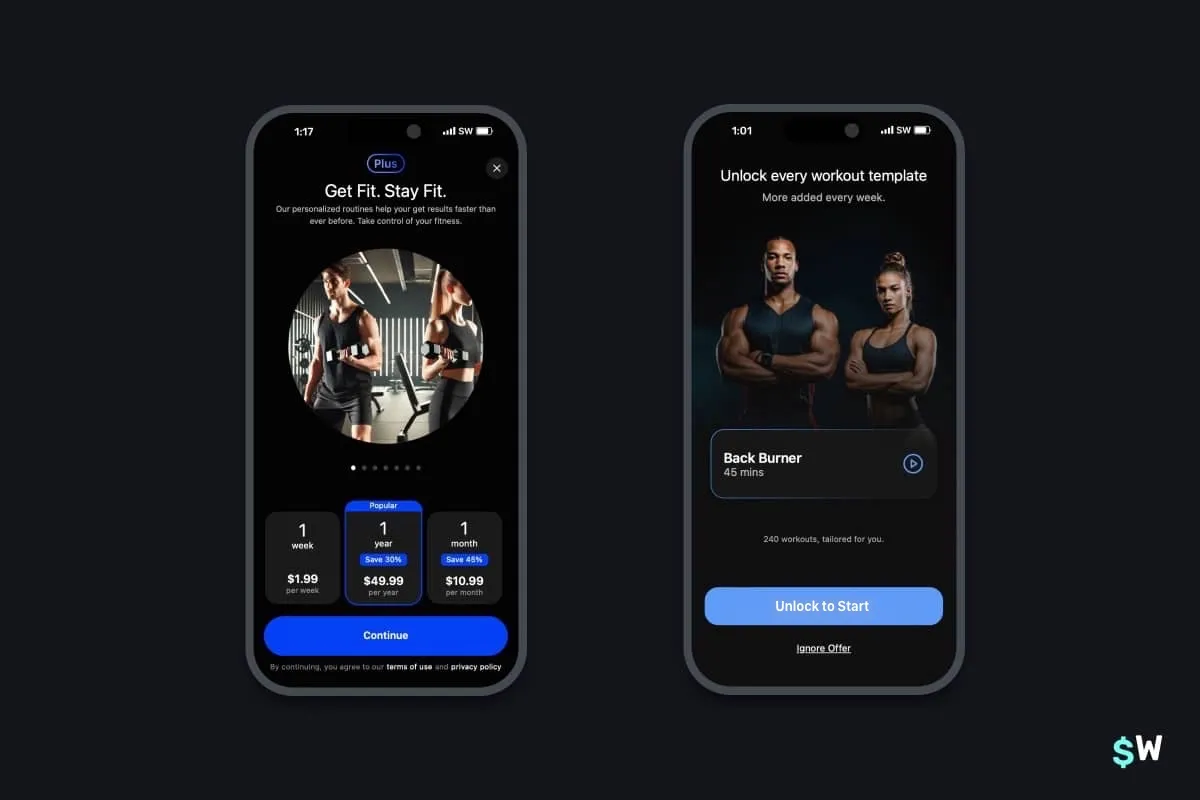
For example, in a workout app, if users need to upgrade to access more of a feature they're already using — tailor the paywall to emphasize accessing that feature over choosing a subscription plan. Or put more simply, show the paywall on the left during onboarding to emphasize your subscription offerings. Then, show the paywall on the right when a user taps on a workout plan they don't have access to:
2. Experiment with dynamic feature gating
We all know free trials are a powerful growth lever. But, have you tried getting even more granular with free access? By experimenting with feature gating, you can unlock more growth by granting access to premium features for a limited time.
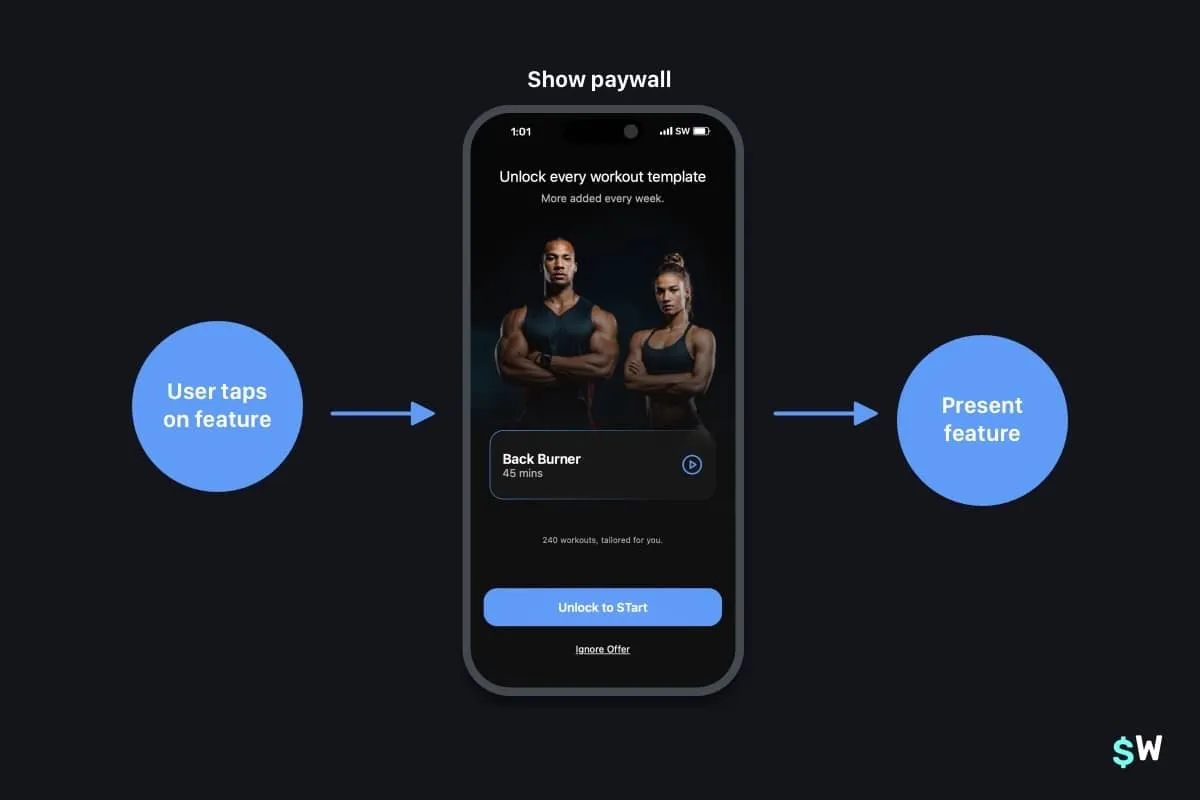
At Superwall, we usually refer to this as testing "feature gating", and the idea is simple. Run a promotional campaign showing off a high-converting feature, and give everyone access to it for a week or so. The trick here, though, is to still show your paywall — but even if the user declines, still give them access to the feature:
The benefits here are primarily that:
- Users may convert from the initial paywall anyways.
- If they don't, they get "hooked" on a core feature and will pay for it once the promotional period ends.
3. Visually explain what's free versus what's "pro"
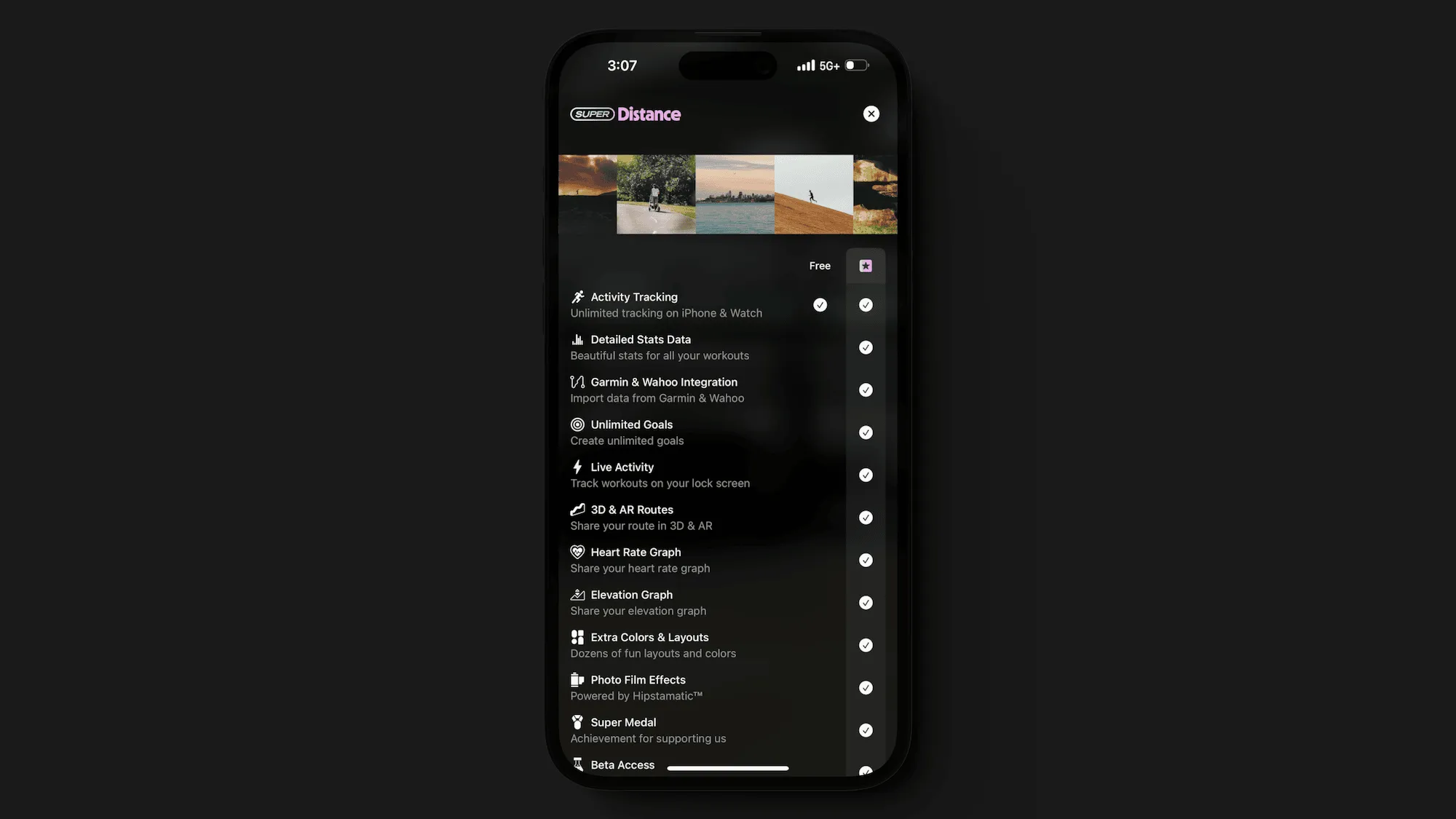
Closing out our effective paywall growth tips, here's another one we've seen work wonders lately: explicitly letting users visualize what they stand to lose by not subbing. Emphasizing a loss versus a gain can increase conversion.
Think about it: "Gain access to unlimited workouts" versus "You'll lose access to unlimited workouts" evoke a different emotional response. Visually speaking, a table is a great way to show this kind of thing. Here's a template we've been tweaking to help Superwall users easily test this pattern out:
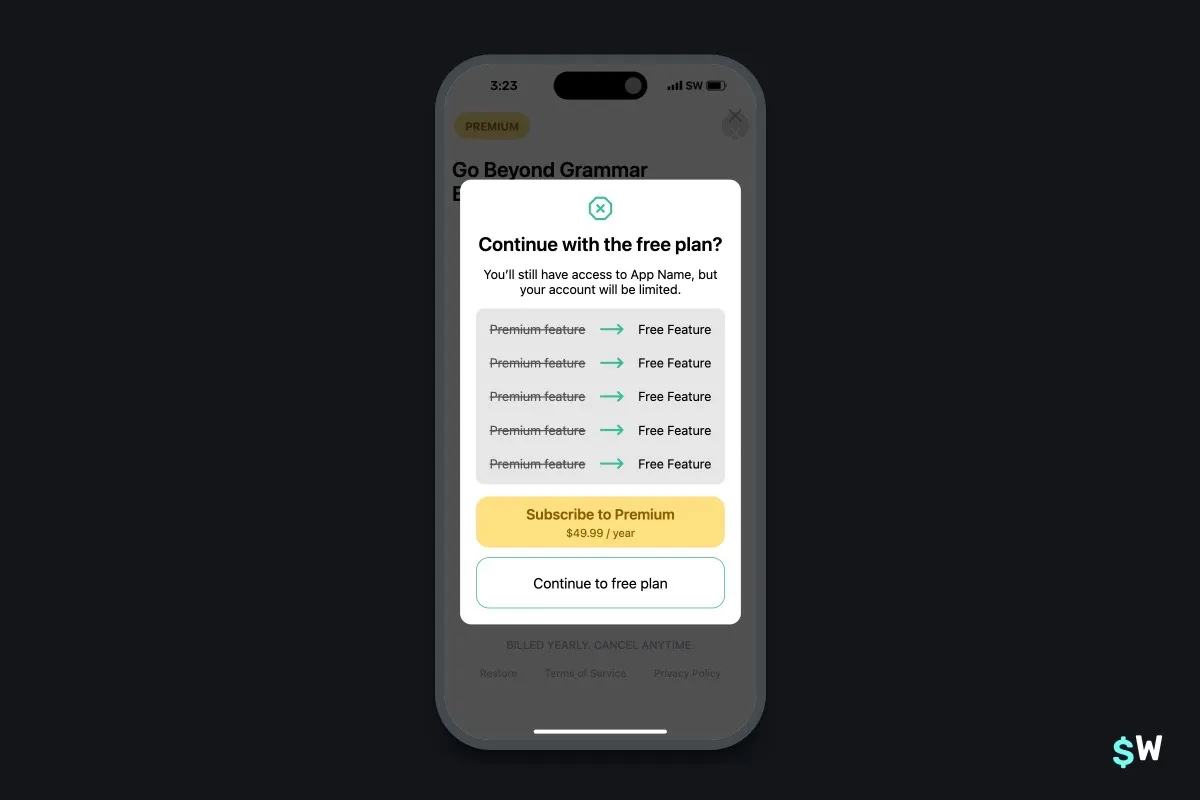
This design and approach can be extremely useful for users who recently canceled a free trial or subscription. Showing this paywall to remind them of all that they are about to lose can help sway their decision.
2 Tech Tips
1. FinanceKit for iOS
One sector that's been growing in subscription revenue? Financial apps.
Specifically, personal finance or budgeting. With iOS 17, Apple released
FinanceKit, which lets developers hook into all sorts of
financial data that users permit access to.
You can query recent orders, transactions and more — this basically lets you build your own lightweight version of the Wallet app on iOS. If you're interested in the finance space on iOS, there's no better time to get started. Heads up, though, it does require a specific entitlement to be granted from Apple.
2. Nova
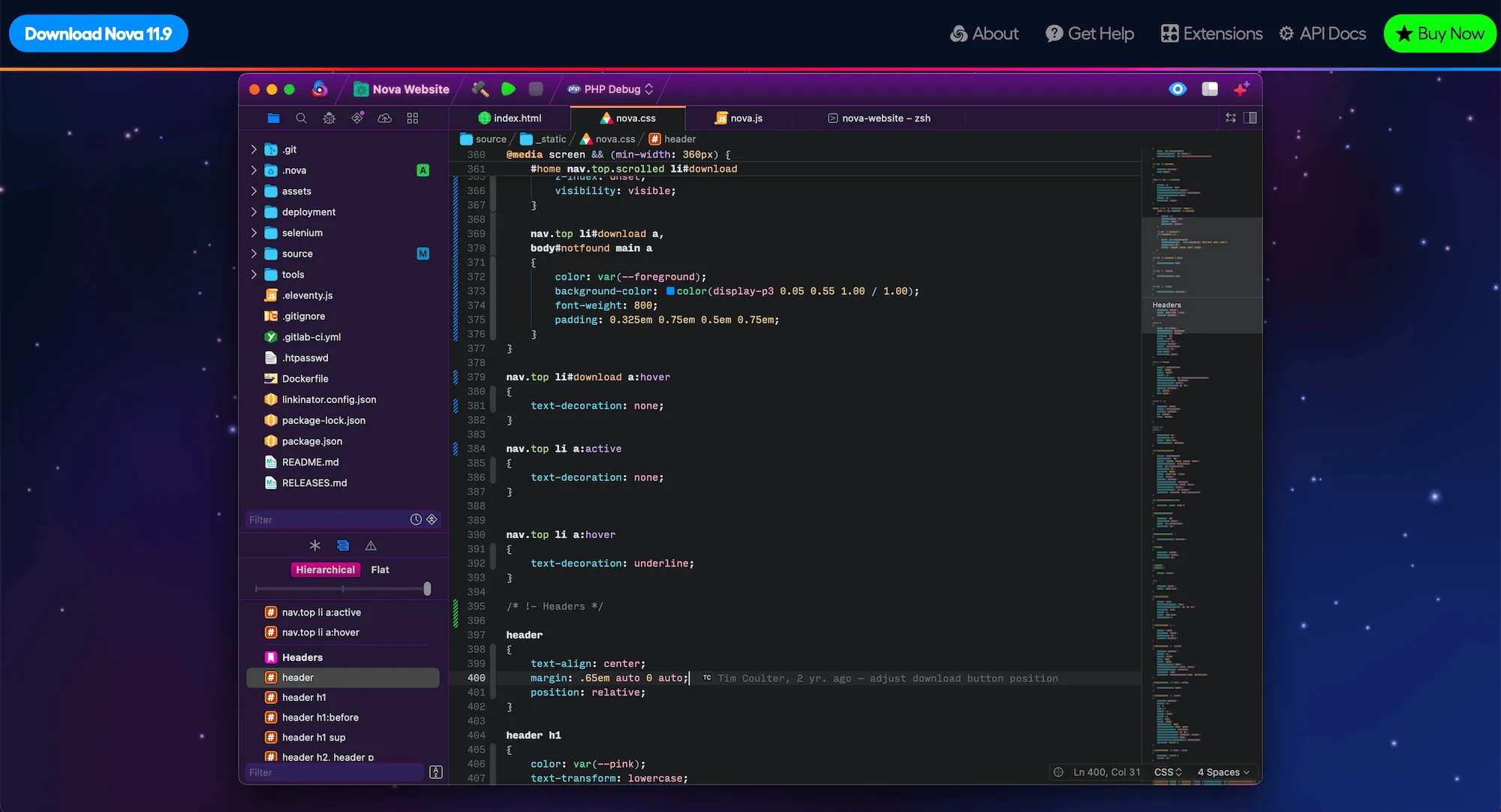
How about some love for a native macOS code editor? If you haven't checked out Nova (from the folks over at Panic) — try it out today! It has all the macOS-first design idioms, robust Git support, snappy text editing and syntax highlighting, and more. Plus, it's easy on the eyes:
It's been around for a few years, and in that time — its extension ecosystem has grown. You can check that out here.
1 Super Superwall Tip
Dynamic feature gating
Let's show growth tip number 2 in action using Superwall. You can dynamically feature gate any paywall by using the "Feature Gate" setting. Here's how:
- Open the paywall you want to toggle feature gating for.
- Click on the sidebar, and then choose Settings.
- From there, under "Feature Gating", choose your option:
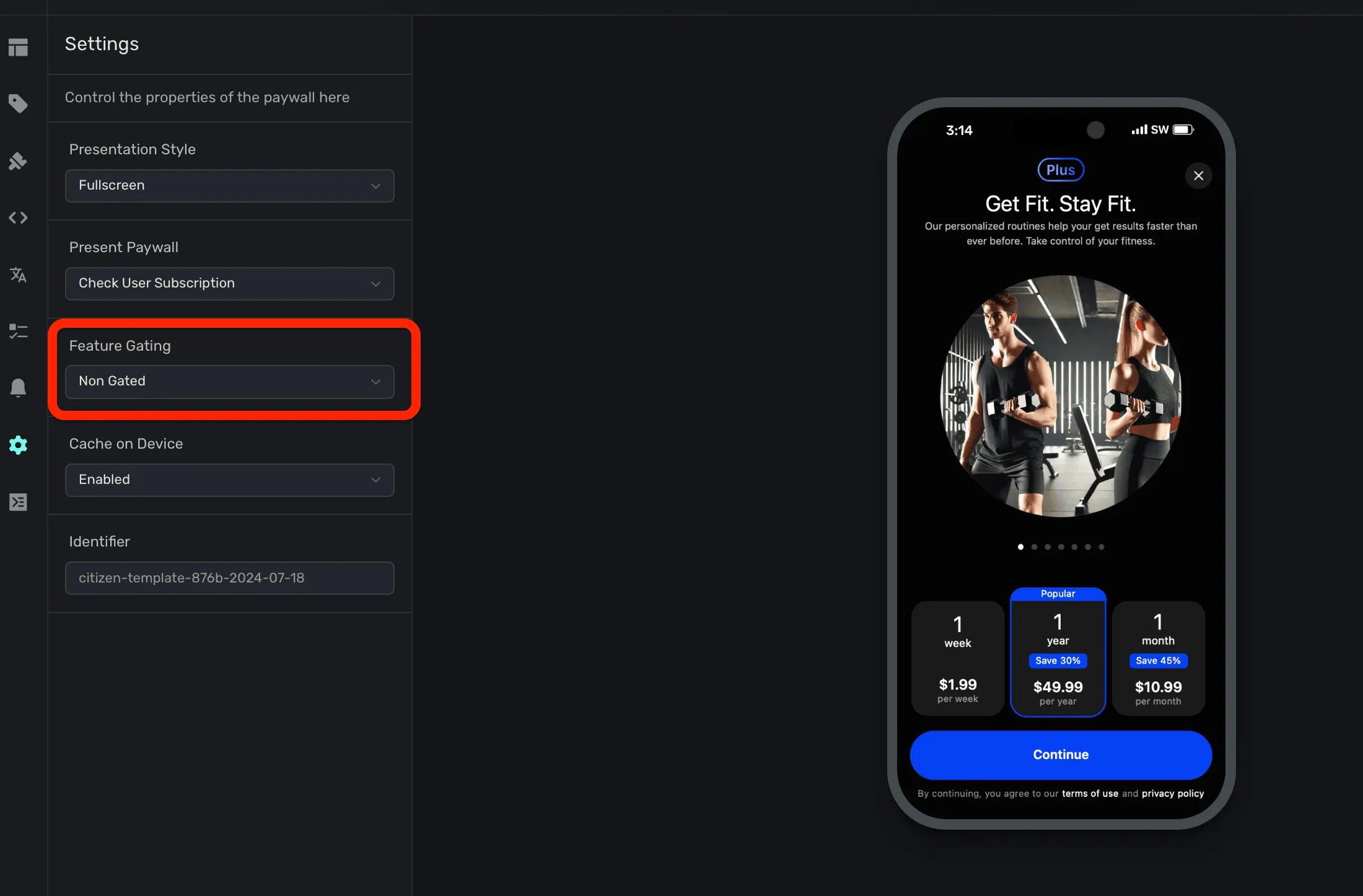
Remember, "Non Gated" means that the user will have access to whatever feature you put behind a placement. "Gated" will restrict access. Both options still present your paywall. To learn a bit more, we've just refreshed our docs on this — you can check those out here.
…One More Thing
From the Blog
Present a paywall during these three high-converting app experiences:

Pretty Design Tweet
Icons with depth are back, check these concepts out from @openpurpose:
One Nice Paywall
Remember our third growth tip from above? Showing users what they stand to lose and gain? AnyDistance does a fantastic job of this, and they use a table approach to express that idea beautifully:

Thanks for reading, and we'll see you next time!